Restaurant delivery with your own riders
Delivery is done by your own riders. You pair each rider, assign a rider to an accepted order, and the rider uses the Zovi Rider app. Zovi does not provide a delivery fleet.
- Your own riders only.
- Assign a rider on an accepted delivery order.
- Delivery codes and cash-on-delivery records.
- After pickup the guest sees the rider is on the way and each step.
You pick the rider. The rider has an app.
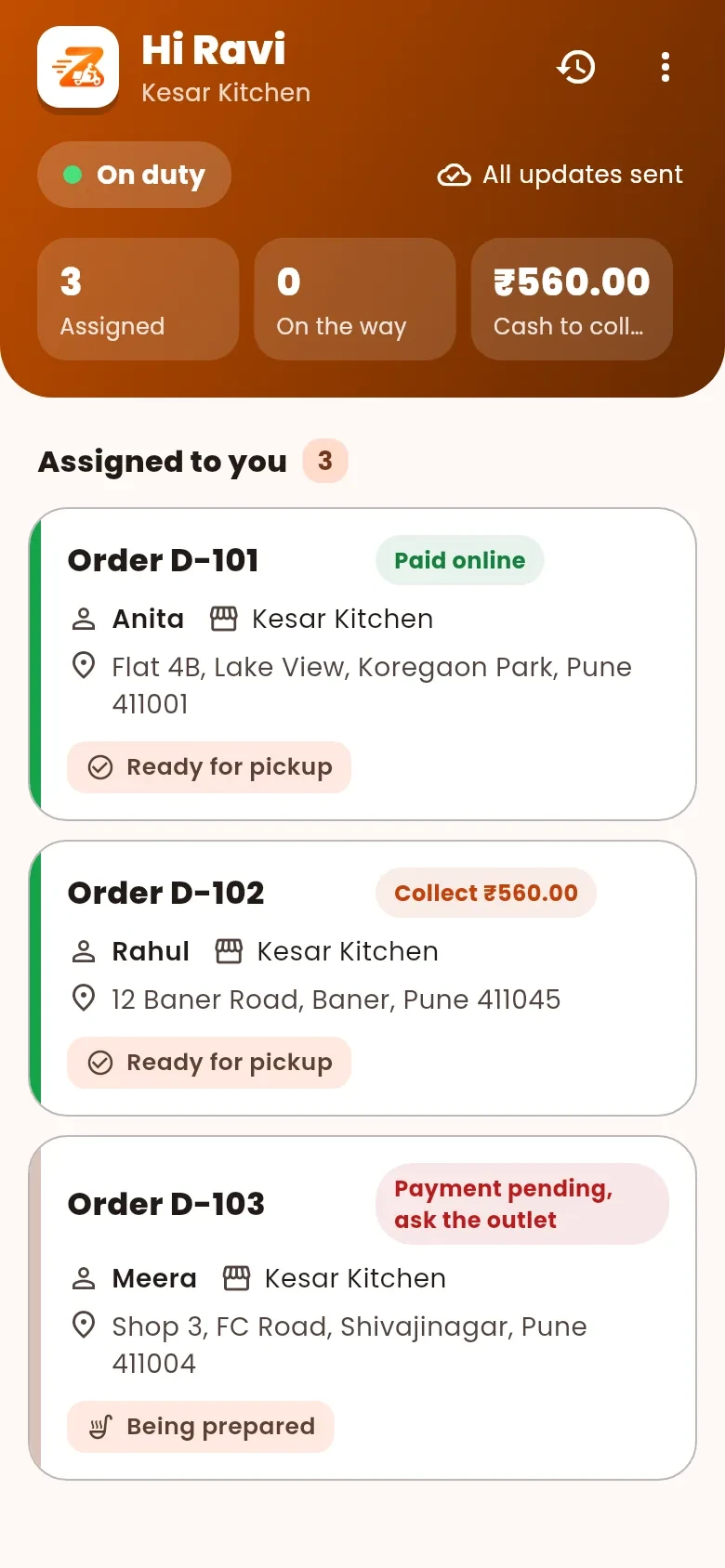
In Zovi Business you pair a rider phone and assign a rider to an order. The rider sees the pickup, the address and the items, and marks each step.
- Pair a rider phone with a code.
- Choose a rider who is on duty.
- The rider marks picked up, arrived and delivered.
App screens with sample data
What delivery with your own riders gives you.
Your own riders
Delivery is done by your own riders. Zovi does not provide a delivery fleet.
Pair and assign
You pair your own riders, assign a rider on an accepted delivery order, and use delivery codes.
The Zovi Rider app
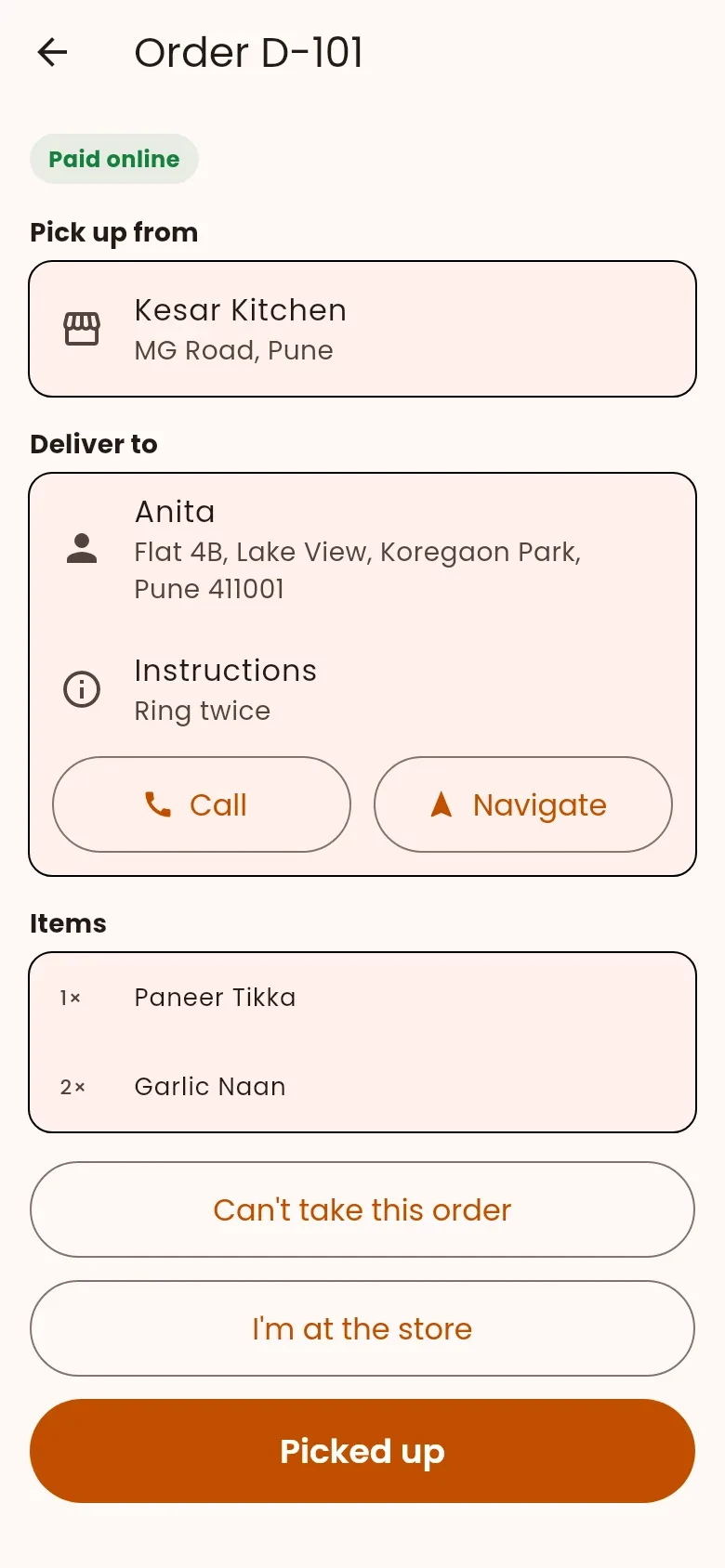
The Zovi Rider app shows the rider the pickup, the delivery address and the items in the order.
Every step marked
The rider marks the order picked up, arrived, delivered or could not deliver.
Cash at the door
A rider can record cash collected at the door.
The guest sees progress
After pickup, the guest sees that the rider is on the way, and each step of the order.
How a delivery runs.
You pair a rider phoneyou
Enter the rider name and phone number, then give the rider the pairing code.
You accept a delivery orderyou
A guest orders delivery from your website. You accept the order in Zovi Business.
You assign a rideryou
Choose a rider who is on duty and press Assign rider.
The rider picks up and deliversrider
The rider sees the pickup and the address, marks picked up, and asks the guest for the delivery code.
The guest follows each stepguest
After pickup the guest sees that the rider is on the way, and each step until completed.
In the Zovi Rider app.
The rider sees the pickup, the address and the items, and enters the guest delivery code at the door.
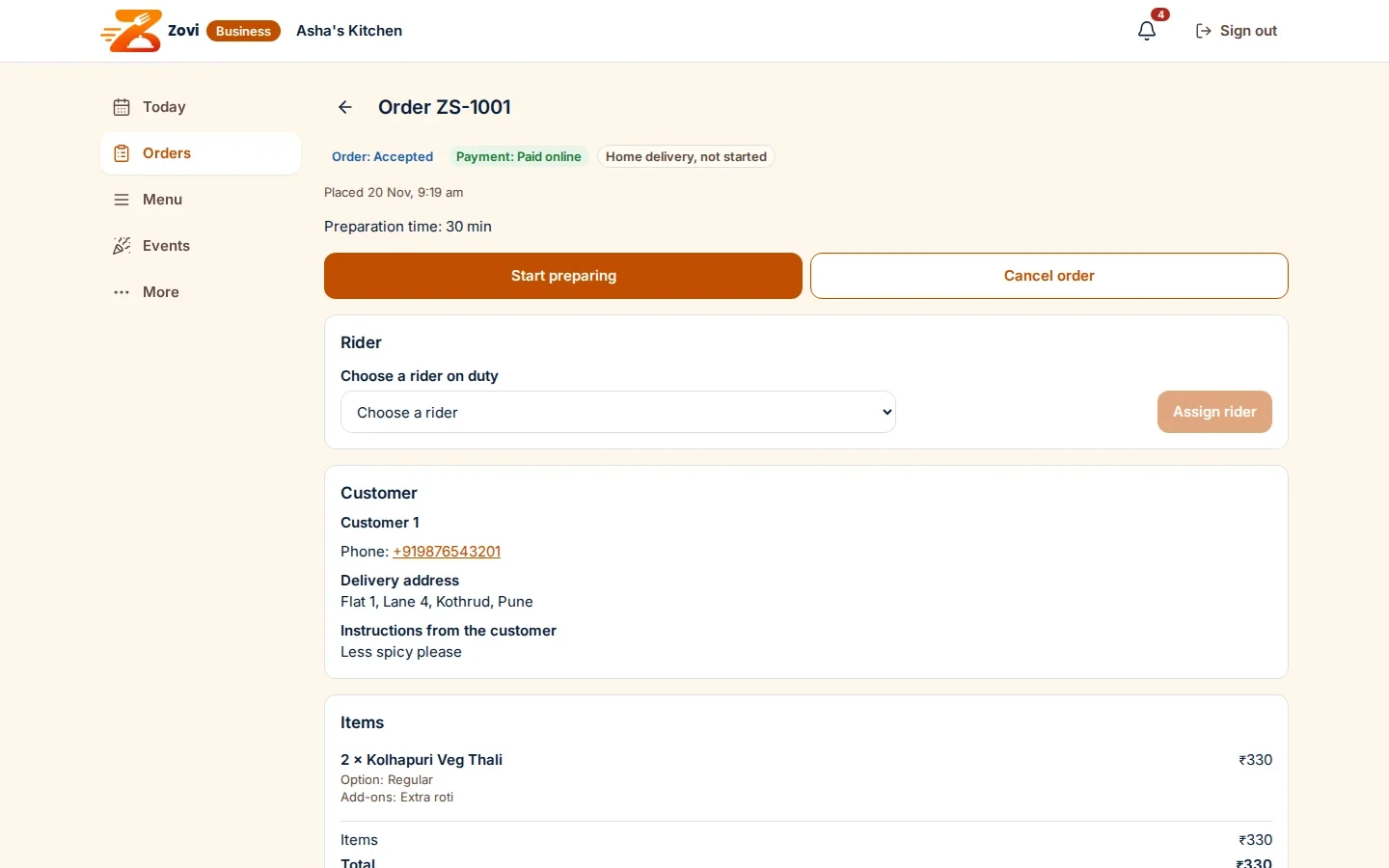
App screen with sample data
Good to know
- Zovi does not provide riders and does not use third-party couriers. You use your own people.
- Delivery can be switched on or off for your market and for your restaurant.
- The Zovi Rider app is built and in testing. It is launching in 2027 with the rest of Zovi.
- If you use Zentaro Serve, your own riders are assigned from Zentaro Serve.
Common questions.
Can I deliver with my own riders?
Yes. Delivery is done by your own riders. Zovi does not provide a delivery fleet.
How do I assign a rider to an order?
You pair your own riders, then assign a rider on an accepted delivery order in Zovi Business.
What does the guest see after pickup?
After pickup, the guest sees that the rider is on the way, and each step of the order.
Can a rider record cash on delivery?
Yes. A rider can record cash collected at the door.
I use Zentaro Serve. Who assigns riders?
Your own riders are assigned from Zentaro Serve.
Deliver with your own people.
Zovi launches in 2027. Tell us what you run today and we will get in touch.
Last updated: