
A table booking system for your restaurant
Guests book a table on your website. They choose a day, the number of people and a time, and they see the advance and your cancellation terms before they pay.
- Guests choose a day, a party size and a time.
- You set the advance for each person.
- You set the cancellation terms.
- The booking is on your own address.
No surprises for you or your guest.
The guest sees what to pay now and what happens if the plan changes, before the booking is made. Your terms are shown on the screen, in plain words.
- The advance and the cancellation terms show before payment.
- The advance is set for each person.
- Refund terms are set by your restaurant.
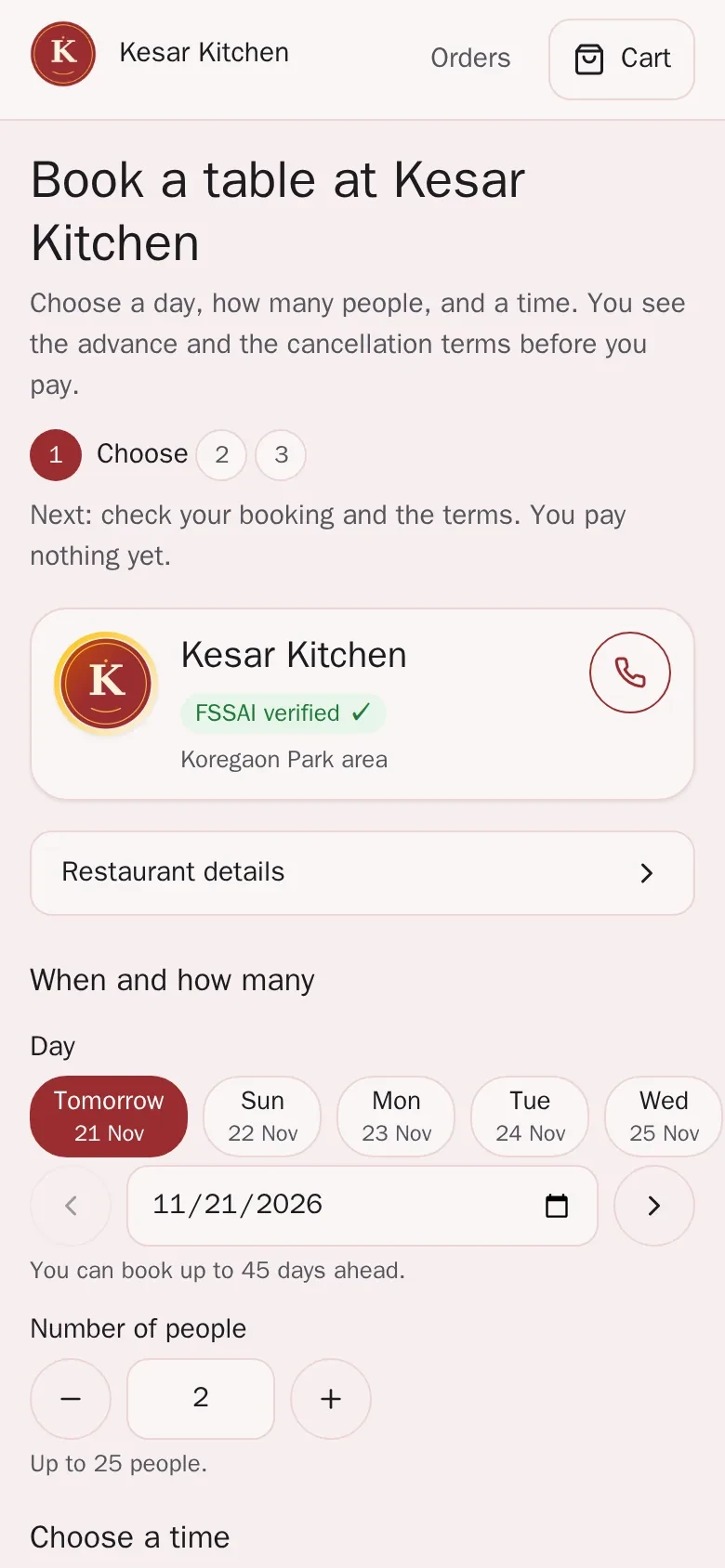
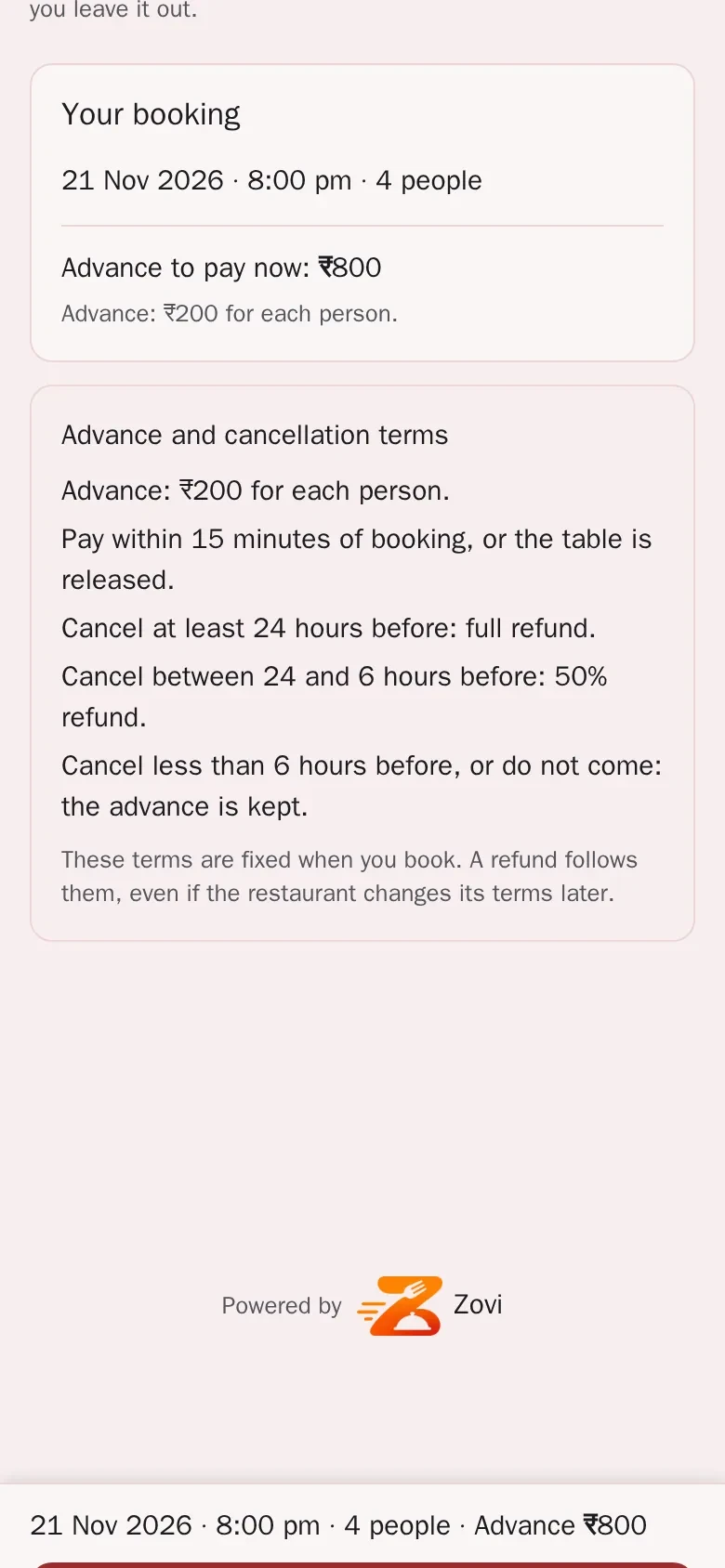
App screens with sample data
What table booking gives you.
Booking on your website
Guests can book a table, with an advance and cancellation terms that you set.
Day, party size and time
The guest chooses a day, how many people and a time.
An advance for each person
You set the advance for each person, and the guest sees it before paying.
Your cancellation terms
The guest sees your cancellation terms before they pay anything.
Refunds on your terms
Refund and cancellation terms for bookings and events are set by your restaurant, in Zovi Business.
Bigger parties
For a large party or an occasion, guests can send an event enquiry instead, once you switch the events add-on on.
How a booking works.
The guest opens Book a tableguest
The button is on your restaurant page.
The guest picks a day, a party size and a timeguest
The screen shows the advance to pay now and the cancellation terms.
The guest pays the advanceguest
The advance is paid to your own Razorpay account. Online payment turns on once your Razorpay account is active.
You see the bookingyou
The booking comes to you, so you can plan your tables.
Book a table, on a laptop.
The guest picks a day, a party size and a time, and sees the advance and the terms on the same screen. The numbers are sample data.
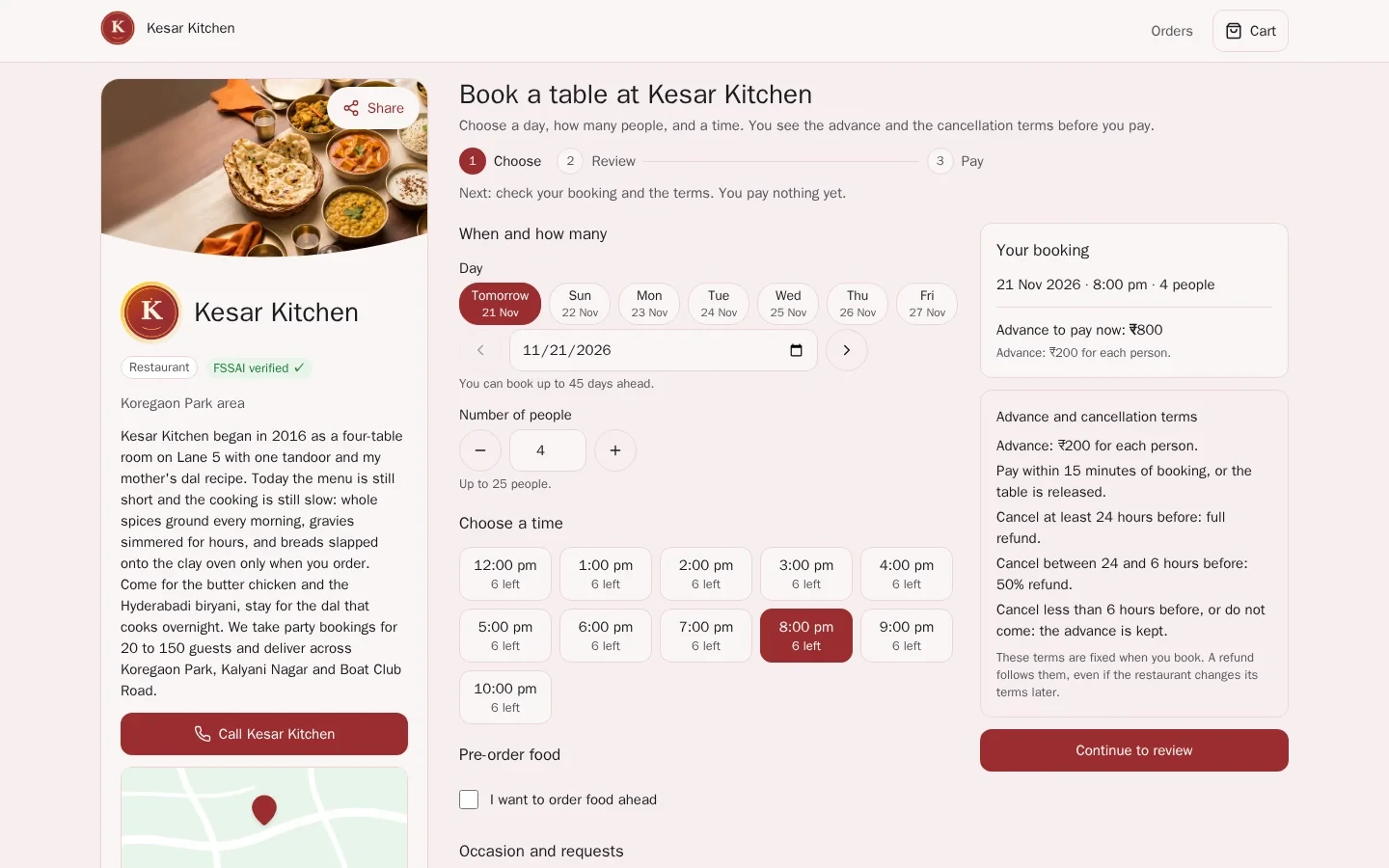
App screen with sample data
Good to know
- The advance, the party sizes and the terms are yours to set. The numbers on the screens are sample data.
- If you use Zentaro Serve, bookings made on your Zovi website reach Zentaro Serve.
- Refund terms are set by your restaurant, not by Zovi.
Common questions.
Can guests book a table on my Zovi website?
Yes. Guests can book a table, with an advance and cancellation terms that you set.
Do guests see the advance before they pay?
Yes. The booking screen shows the advance to pay now and your cancellation terms before the guest pays.
Who sets the refund terms for a booking?
Your restaurant does. Refund and cancellation terms for bookings and events are set by your restaurant, in Zovi Business.
What about a big party?
Guests can send an event enquiry and ask for a custom quote, once you switch the events add-on on.
Where does the advance go?
Payments go to your own Razorpay account, which charges its own payment fees.
Let guests book a table online.
Zovi launches in 2027. Tell us what you run today and we will get in touch.
Last updated: